Discover the best learning robots for kids that blend play with practical STEM skills. These interactive toys promote problem-solving, basic programming, and logical thinking while keeping children engaged through storytelling, music, motion, and responsive feedback. The following selections represent a mix of gesture-controlled bots, programmable kits, and AI-powered companions that suit various ages and learning styles. Each entry highlights core features to help parents compare options for developing creativity, computational thinking, and confidence in young makers.
| Product | Brand | Key Focus | Age Range |
|---|---|---|---|
| KingsDragon RC Robot Toys for Kids | KingsDragon | Gesture control, programming, LED eyes | 3-8 |
| Ruko 1088 Smart Robots for Kids | Ruko | Voice control, app control, multi-expressions | 4-9 |
| Miko 3: AI-Powered Smart Robot | Miko My Companion | STEAM content, adaptive learning, AI interactions | 5-12 |
| BAZOLOTA Robot Toys for Kids 3-5 | BAZOLOTA | Gesture sensing, singing and dancing | 3-12 |
| Makeblock mBot Robot Kit | Makeblock | Scratch & Arduino coding, easy assembly | 8-12 |
| Learning Resources Botley the Coding Robot | Learning Resources | Screen-free coding, progression, remote programming | 5+ |
KingsDragon RC Robot: Gesture & Programming Fun

This gesture-sensing robot combines infrared remote control with hand-gesture commands, enabling kids to direct movement by simply waving. It includes auto display and obstacle-avoidance features, and its blue LED eyes light up as it moves. The robot supports a 50-action programming mode where children can input sequences that the toy can playback, turning basic moves into playful routines. Built with non-toxic ABS plastic and flexible joints, it is designed for repeatable, varied action without fatigue. Suitable for hands-on exploration and introductory programming concepts.
Ruko 1088 Smart Robot: Voice & App Control

Ruko 1088 stands tall at nearly 16 inches, offering a blend of voice commands and app-based control. With 10 expressive faces, 9 flexible joints, and 10 songs, it creates a dynamic play experience that nudges children toward basic programming concepts while encouraging storytelling and sequencing. Beyond entertainment, the robot supports creative activities like gymnastics, dancing, and recording, expanding learning into movement, rhythm, and memory. It serves as a friendly intermediary for kids exploring cause-and-effect relationships and early computational thinking.
Miko 3: AI-Powered Smart Robot (Blue)
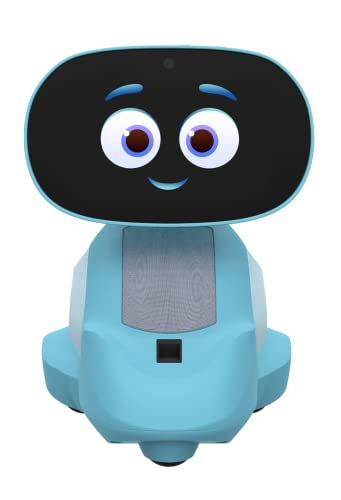
Miko 3 brings AI-enhanced interactivity to learning, featuring a touchscreen for hands-on activities and a library of STEAM content. It adapts to a child’s interests, offering personalized interactions and a variety of educational apps and games. The robot emphasizes emotional engagement and social learning, with a design that supports curiosity, collaboration, and consistent participation in activities. While designed to feel like a learning companion, it remains a tech-enabled tool that encourages exploration of science, technology, engineering, arts, and math in an approachable way.
Miko 3: Red AI-Powered Smart Robot
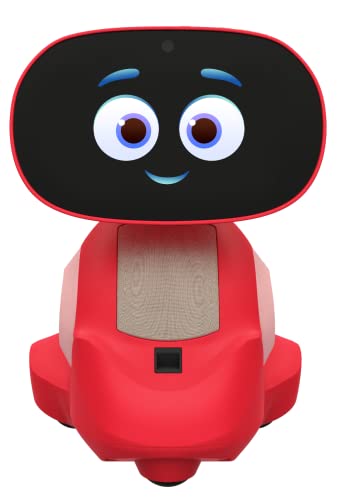
This red variant offers the same AI-powered learning approach as the blue model, including a touchscreen interface, personalized interactions, and a broad library of STEAM content. It emphasizes engagement through storytelling, problem-solving games, and interactive apps designed to sustain attention and curiosity. Like the blue version, it aims to boost participation in academic activities and nurture a growth mindset, while providing a friendly, human-like companion for daily learning and play.
BAZOLOTA Robot Toys: Gesture Sensing & Dance
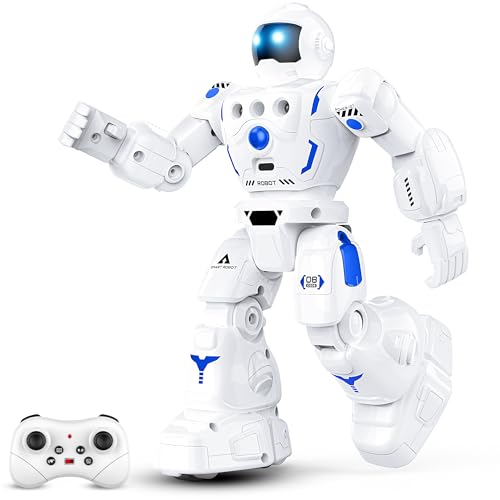
BAZOLOTA offers a gesture-sensing robot with a long control range and built-in remote to command walking, sliding, singing, and dancing. Its adjustable volume helps maintain a comfortable learning environment, and a USB-rechargeable battery supports about 60 minutes of playtime per charge. The toy emphasizes interactive storytelling and music-based activities while teaching basic navigation and sequencing. It is positioned as a versatile partner for kids ages 3-12, providing both motor and cognitive engagement through hands-on control.
Makeblock mBot Kit: Learn Coding With Scratch & Arduino

mBot offers a clear path from beginner to more advanced robotics. It introduces electronics, robotics components, and programming through Scratch and Arduino-compatible interfaces. The build is straightforward, typically under 15 minutes, and includes remote control and basic functions like line-following and obstacle avoidance. The kit comes with tutorials and coding cards that guide learners through progressively challenging projects, making it a strong choice for classroom activities or home STEM sessions. Note: some batteries are not included, requiring additional purchases.
Learning Resources Botley the Coding Robot

Botley is a screen-free coding robot designed for ages 5 and up. It introduces foundational programming concepts through remote control and simple sequences, with 80-step programming capability that supports loops and advanced obstacle detection as skills grow. Immediate engagement comes from out-of-the-box use, requiring only batteries. Botley emphasizes hands-on, unplugged coding that helps children understand sequencing, logic, and planning before transitioning to screen-based coding, providing a gentle, progressive learning curve.
Buying Guide
Key purchase considerations center on age suitability, learning goals, and interaction style. For younger children (ages 3-6), choose gesture-controlled or story-driven robots that emphasize motor skills, basic sequencing, and cause-and-effect without heavy reading requirements. For older kids (ages 7-12), look for programmable kits or AI-enabled robots that introduce Scratch or Python-like concepts, block-based coding, and more complex challenges. Consider the following factors:
- Learning goals: Do you want screen-free coding, language-based interaction, or structured programming environments?
- Age and safety: Check recommended ages, non-toxic materials, and durability for rough play.
- Programming depth: Some toys offer 50+ actions, while others teach Scratch or Arduino concepts; align with your child’s interest and skill level.
- Interactivity: Gesture sensing, voice control, and storytelling can boost engagement, but vary in cognitive load and setup requirements.
- Power and maintenance: Battery life, USB charging, and accessibility of replacement parts affect long-term use.
- Future-proofing: Kits with tutorials and community support help learners advance from basic to advanced robotics.
In summary, the right learning robot should align with your child’s age, curiosity, and preferred learning style. Whether it’s a friendly AI companion offering personalized activities, a gesture-controlled bot for physical play, or a coding kit that evolves with skills, these options provide varied paths to building confidence in STEM concepts while keeping learning enjoyable and age-appropriate.